Professional docs site, self-hosted and ready.
Every license includes EazyDocs. Build unlimited knowledge bases with drag-and-drop structures, live AJAX search, auto-generated TOCs, and reader feedback. Runs entirely on your own server - no external subscriptions.
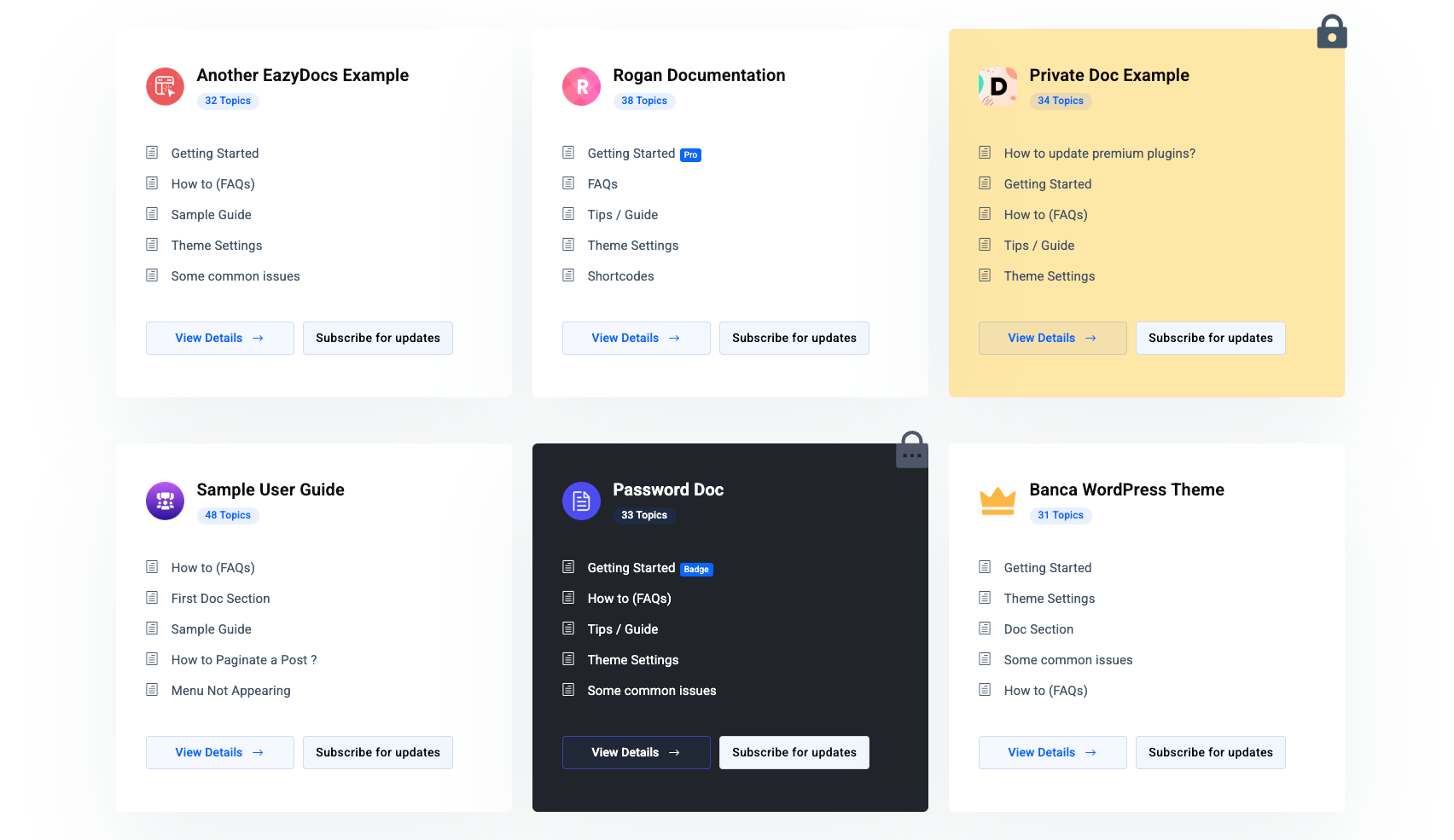
Drag, Nest, and Publish Your Entire Doc Tree Instantly.
The Docs Builder provides a visual tree of every article and section. Drag to reorder or nest up to 4 levels deep. Changes go live instantly - no page rebuilds required.
- Drag-and-drop reordering with instant front-end sync
- Bulk duplicate, hide, or delete articles in one action
- 4-level doc depth - sections, groups, articles, sub-articles
- Setup Wizard imports sample content on first launch
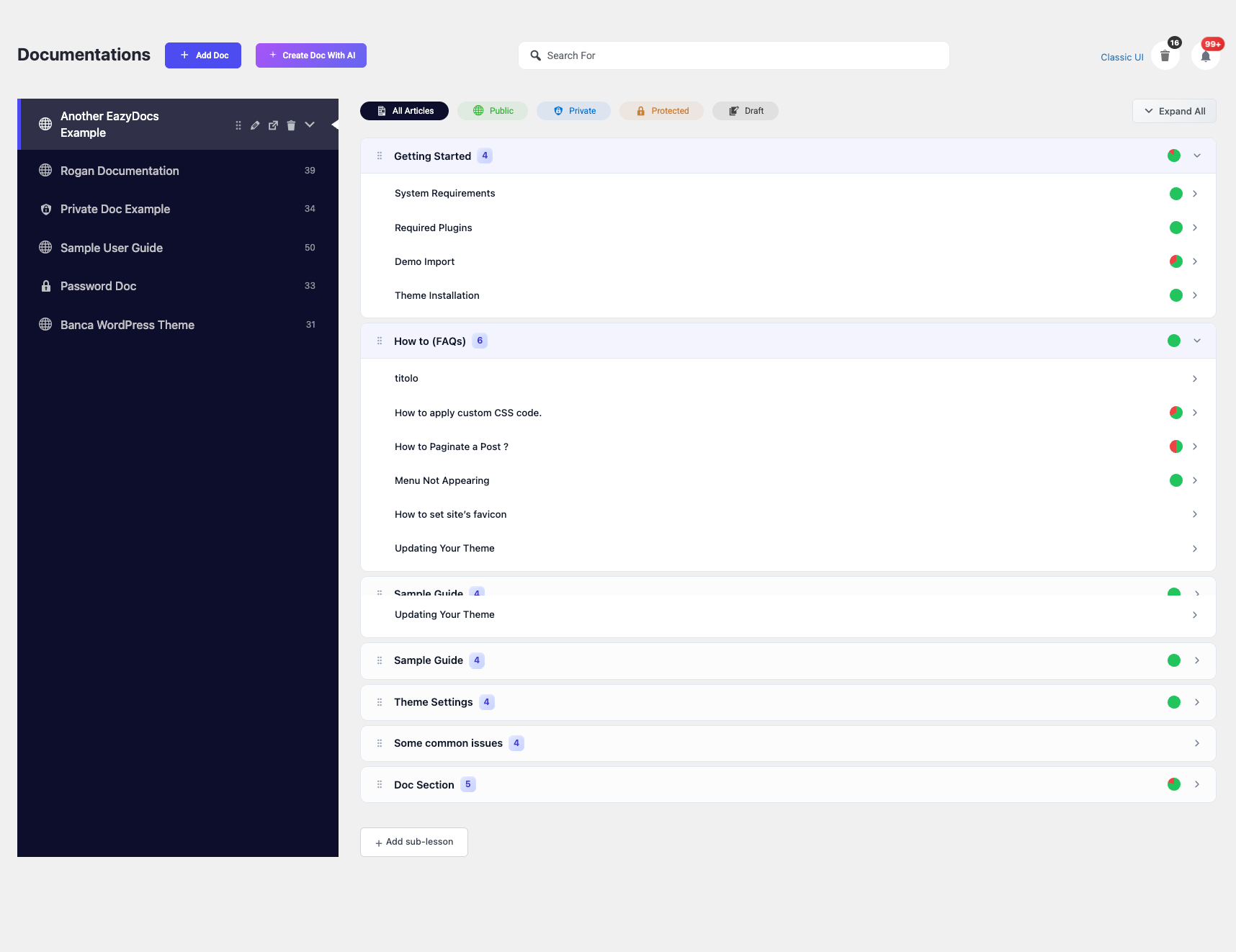
Build a Docs Site That Truly Engages Your Readers.
Give readers everything they need to navigate seamlessly. Sticky sidebars, auto-generated TOCs, breadcrumbs, reading time, and feedback prompts are generated automatically - zero configuration.
- Auto-generated sticky Table of Contents with active-section tracking
- Reading time estimate + article view counter
- "Was this helpful?" feedback - votes logged in admin
- Font size slider, print mode, recently-viewed history
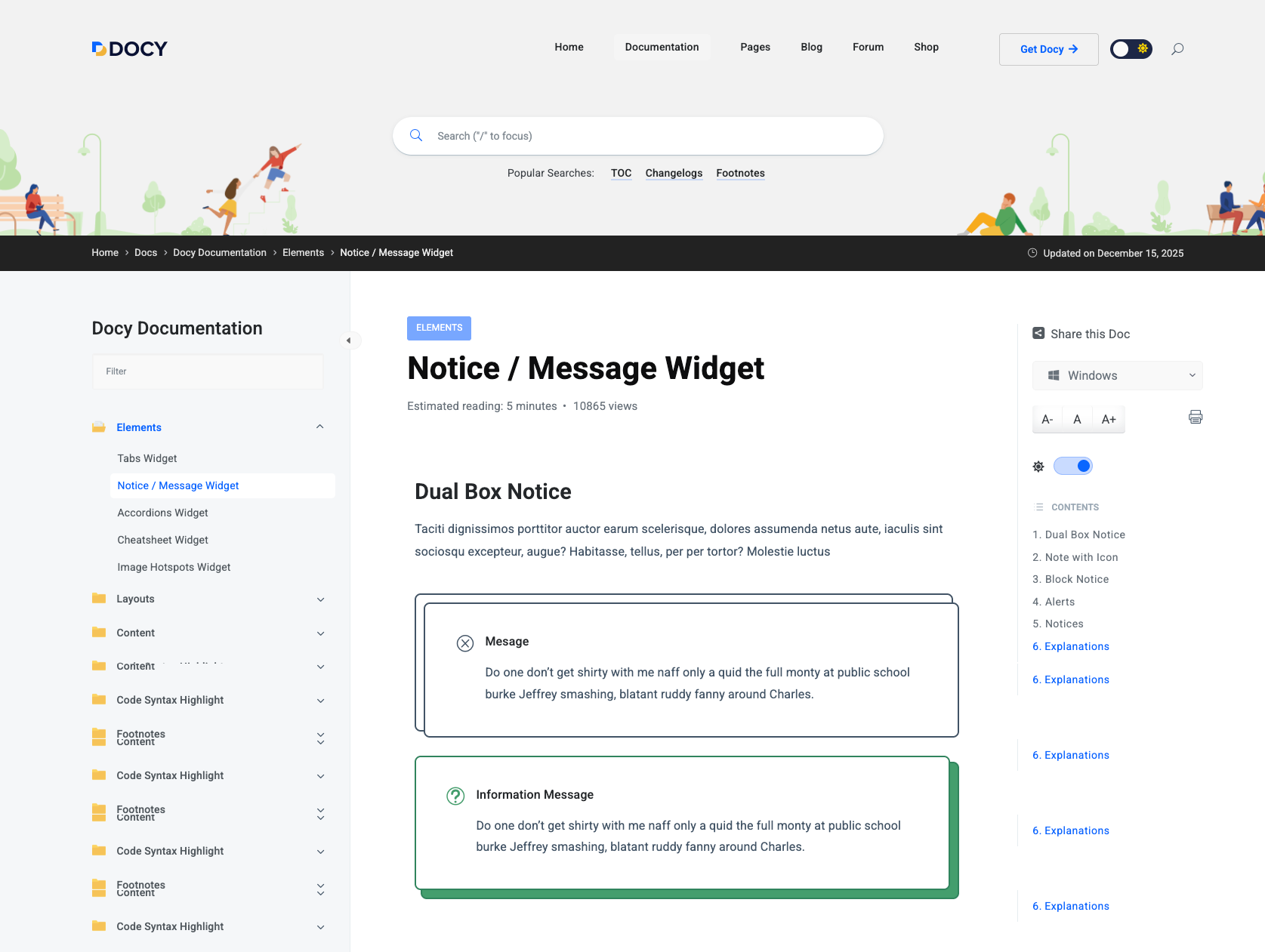
Results appear before the reader hits Enter.
Live AJAX search is built-in. As visitors type, matching articles surface instantly with keyword highlighting - no page reloads or Algolia subscriptions required. Drop the search bar anywhere via Gutenberg, Elementor, or shortcode.
- Transient-cached AJAX - fast under load, zero DB hammering
- Searches titles, content, tags, and categories simultaneously
- Drop on any page via Search Banner block or shortcode
- Zero-results queries logged in admin - tells you what to write next
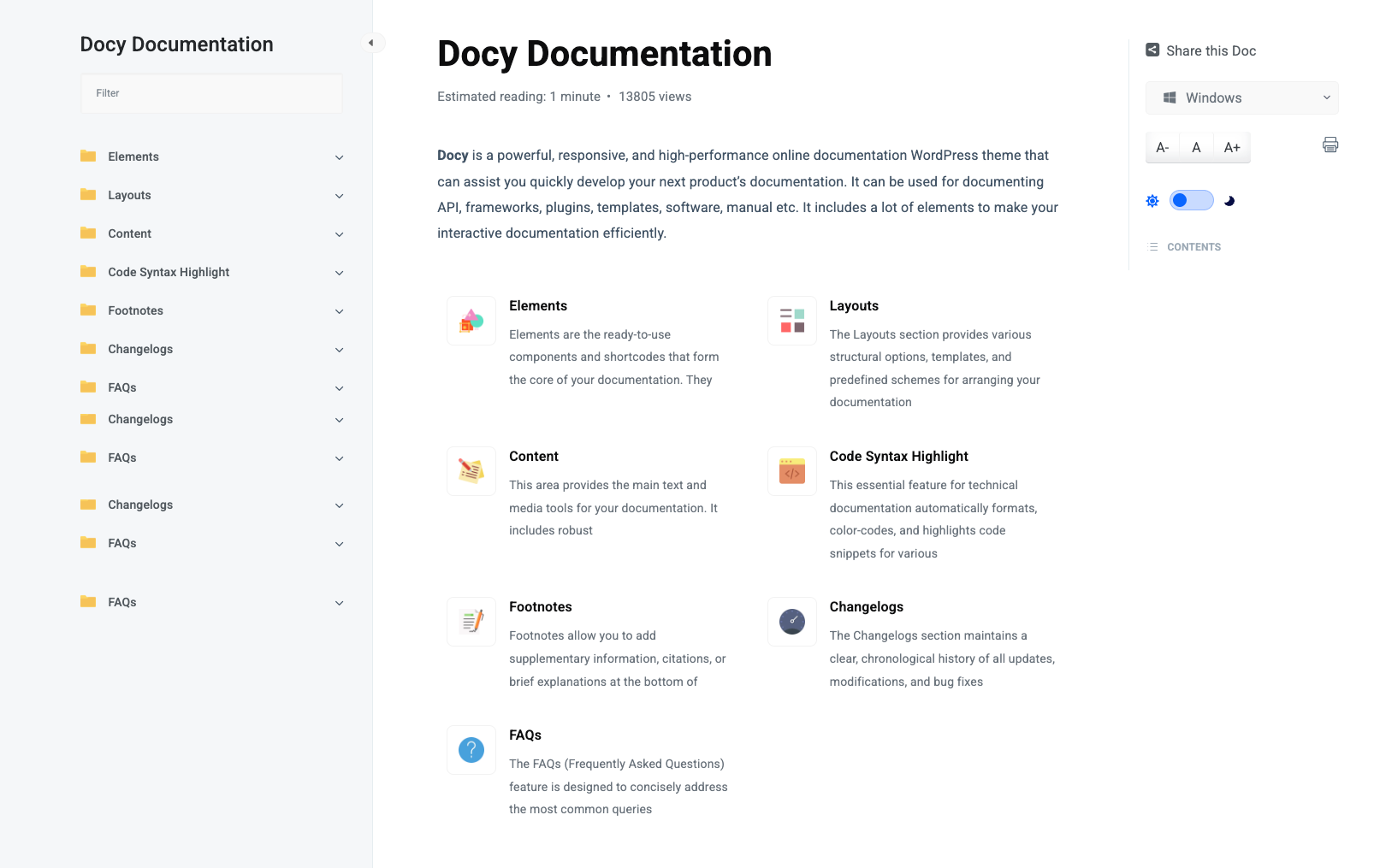
Write Naturally with Full Gutenberg and Markdown Support.
Write articles in the Gutenberg editor, raw Markdown, or TinyMCE Classic - all render identically. Includes four native core blocks: Search Banner, Tabbed Docs, Shortcode Display, and Toolbar.
- Tabbed Docs block - multi-product, platform-specific content
- Prism.js syntax highlighting - 30+ languages, copy button
- Full revision history - restore any previous version in one click
- Named doc versions - readers switch via front-end selector
Everything a documentation site needs.
All features below are in the free plugin, bundled with every Docy license.
Docs Builder
Drag-and-drop visual tree of every doc, section, and article. Reorder anything instantly - changes sync to the front end without a page rebuild.
AJAX Live Search
Results appear as the visitor types - transient-cached, fast, no extra cost. Zero-result queries logged so you know what articles to write next.
Auto Table of Contents
Sticky Table of Contents generated from article headings. Highlights the active section as the reader scrolls - no configuration needed.
Reader Feedback
"Was this helpful?" per article. Vote counts visible in admin - sort by lowest score to identify exactly which articles to improve first.
Version Switcher
Create named doc versions, clone all articles into each, and mark any as current. A version selector appears automatically on the front end.
Multilingual & RTL
WPML and Polylang compatible. Native RTL stylesheet for Arabic, Hebrew, and Persian - fully global out of the box.
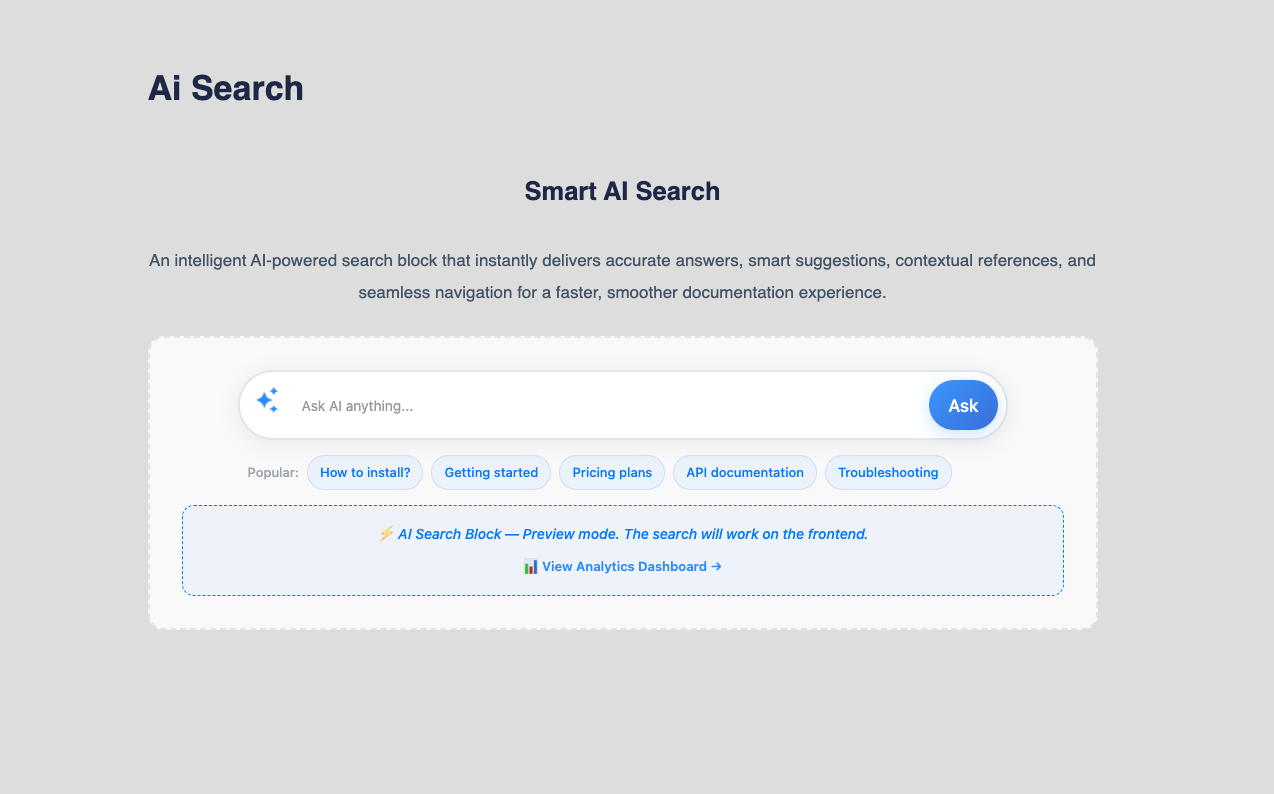
AI Search and Chat, Trained on Your Own Content.
Pair EazyDocs with Antimanual AI to turn your knowledge base into a 24/7 support agent. It indexes your content to power semantic search and chatbots using your own OpenAI or Gemini key. No SaaS markup, no vendor lock-in.
- AI chatbot trained on your exact documentation
- Semantic search - finds answers even without exact keyword match
- Auto-generate FAQ sections from any article in one click
- Fewer support tickets - users find answers before reaching out
From install to live docs in 3 steps.
Import a Docy demo
Pick any Docy docs demo and one-click import. Articles, sidebar structure, and full Docy styling all load together - nothing to configure manually on day one.
Write & organise
Use the Docs Builder to nest your structure, then write in Gutenberg or Markdown. Table of Contents, breadcrumbs, prev/next links, and reading time generate automatically.
Publish & improve
Reader feedback votes and the search zero-result log tell you exactly which articles to fix. Add Antimanual AI to automate the rest - chatbot, semantic search, FAQ generation.
One WordPress theme, no subscriptions.
Knowledge base, AI search, community forum, Learning Management System, and job board - built into one theme. One purchase, yours to keep.